AI and new tech reignite the data center heating debate

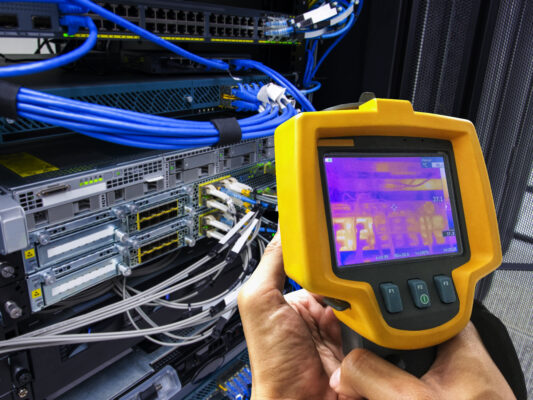
It has long been debated whether data center managers should “turn up the heat” in order to reduce operational costs. But the context for that advice has now changed.
When that advice first emerged, most facilities were running at relatively low densities, and cooling plants typically had generous overhead, explains Gordon Johnson, senior CFD manager at data center infrastructure company Subzero Engineering.
In that environment, raising temperatures was less about pushing boundaries and more about aligning with updated guidance and improving general efficiency.
“What we’re dealing with today is fundamentally different,” Johnson explains. “High-density AI racks are generating heat loads well beyond what legacy air-cooled designs were built to handle. Even hyperscalers with highly engineered thermal plants are running into physical cooling limits. Air simply cannot move enough heat out of modern GPU-dense environments, and any incremental improvement in efficiency is treated as meaningful.”
This makes the old advice worth revisiting, not because it was wrong, but because it was never a standalone strategy.
Many organizations have tested temperature adjustments
Many AI-focused facilities have tested modest increases in data center operating temperatures, explains Carmen Li, CEO at Silicon Data & Compute Exchange, a marketing intelligence firm. The major cloud providers already run above the traditional 68–72°F range, and several neo-clouds and GPU hosting providers have also explored warmer environments to reduce cooling expenses.
While several organizations have experimented with higher operating temperatures, the ones seeing meaningful results are the ones treating it as an engineering task – not a thermostat adjustment, Johnson explains.
“The industry often jumps straight to ‘raise the set point’ without addressing the fundamentals: airflow behavior, heat density, recirculation paths, and pressure balance. If those aren’t controlled, operating hotter simply magnifies the risks,” Johnson explains.
The organizations that make it work have already done the groundwork. They’ve invested in proper containment, pressure management, and structural airflow improvements. They understand their air pathways, maintain elevated and predictable return temperatures, control leakage, and maintain clear separation between air-cooled and liquid-cooled loads. In other words, they’ve engineered the environment first then adjusted the temperature, Johnson says.
Controls that contribute to positive results
The results of raising data center temperatures are generally positive when the temperature increases are controlled and supported by proper engineering, Li explains. Facilities often see lower cooling loads, improved power usage effectiveness (PUE), and reduced energy spending. The problems tend to arise only when operators attempt to run hot without adequate airflow management, monitoring, or thermal headroom.
Cooling systems consist of chillers and computer room air handlers (CRAHs), explains Paul DeMott, chief technology officer at digital marketing firm Helium SEO. Computer room air conditioning (CRACs) typically consume a lot of power in any data center as they can account for anywhere between 30% to 50% of the entire facility’s electrical usage.
When the allowed inlet air temperature for cooling is raised from its typical range of 68 degrees F (20 degrees C) up to 77 degrees F (25 degrees C) or even 80.6 degrees F (27 degrees C), the cooling systems run less frequently or with less intensity, DeMott explains. So the power usage effectiveness increases significantly.
A PUE reduction from 1.5 to 1.3 through optimizing only the cooling set point temperature could mean tens or hundreds of thousands of dollars in annual savings for large facilities, DeMott says. This improved efficiency comes from reducing the mechanical work required to dissipate heat.
Factoring in the age of hardware for expected results
Organizations need to take into account that the age of the hardware is an important factor when considering higher operating temperatures.
Modern servers and networking devices were created to be compliant with classifications from the American Society of Heating, Refrigerating, and Air-Conditioning Engineers (ASHRAE), DeMott explains. Most modern server and networking devices are certification to run at reliable operating temperatures of 80.6 degrees Fahrenheit (or 27 degrees Celsius) or greater.
Older hardware, which was manufactured before about 2010, was developed based on lower temperature assumptions and therefore does not have the same thermal tolerance or cooling capabilities as newer servers, DeMott explains. Running legacy equipment too hot will increase the likelihood of failures, which can lead to costly unplanned outages and the premature replacement of expensive hardware.
“In many cases, the cost savings associated with reduced cooling costs will be offset by the increased failure rate, from .5 percent annual failure to 2.0 percent annual failure due to excessive heat,” DeMott says. “This is why, before adjusting your thermostat setting, managers should check the manufacturer’s specification for their oldest or mission-critical hardware.”
The good news is that modern servers have far more sophisticated fan control and thermal management, Johnson says. Systems designed in recent years can accept higher inlet temperatures and still deliver stable performance because their firmware, sensors, and fan curves are engineered for wider operating bands.
The challenge isn’t just the hardware itself, Johnson says. Older facilities often have unmanaged airflow paths and recirculation issues. Raising temperatures in those environments doesn’t create efficiency, it exposes the limitations of aging equipment and amplifies the underlying airflow problems that were already there.
The myth of the ideal temperature range
There isn’t one ideal temperature for data center operation, but rather an optimal temperature range that can provide both energy efficiency and equipment longevity.
ASHRAE, as well as other industry groups, have defined a server inlet temperature of 18-27°C (64.4°F-80.6°F) for optimal energy efficiency, DeMott explains. Today, most modern data centers aim to operate at or near the upper end of the recommended temperature range. Therefore, many facilities set their cooling set points at approximately 25°C (77°F).
Although there are significant energy saving opportunities using the 25°C (77°F) temperature versus the previous baseline of 21°C (70°F), there is still ample margin to support the thermal specifications of all enterprise-class computing platforms, DeMott explains. An appropriate ‘ideal’ temperature will need to be determined through continuous monitoring and modeling of the specific data center environment, based on server density, air flow management practices and the data center’s specific cooling systems
In fully air-cooled facilities, the safe operating temperature is dictated by how consistently that air reaches the server inlets, Johnson explains. If airflow supply is equal to or less than the airflow demand, if recirculation is present, or pressure isn’t controlled, raising temperatures introduces risk quickly.
The most reliable method is to engineer the airflow first, implement proper containment, and then use computational fluid dynamics (CFD) modeling to identify the maximum temperature the room can support without losing thermal predictability, Johnson says. The goal isn’t to chase a specific number – it’s to run as warm as possible while maintaining complete stability and staying within the ASHRAE recommended temperature guidelines at the IT intake.
Implementing data center temperature increases
For organizations that wish to try boosting data center heat, Li said her advice is to increase temperatures gradually, not all at once, and to heavily instrument the environment.
Managers should closely monitor GPU thermals, error rates, fan behavior, power supply performance, and rack-level hotspots, Li says. They should also treat older hardware separately because it may require different thermal policies.
“It is important to model the total cost impact rather than viewing temperature increases as a standalone solution,” Li says. “Ultimately, facilities should be designed for higher-temperature operation; it is risky to retrofit a design that was never intended for it.”
The most important advice is to focus on airflow control before increasing the temperature set point, Johnson explains. If cold supply air and hot exhaust air are allowed to mix, you lose thermal predictability immediately. That’s why hot-aisle and cold-aisle containment remain the single most effective way to stabilize an environment and improve cooling efficiency.
“Once airflow is under control, the next step is CFD modeling,” Johnson says. “It lets operators understand the consequences of raising temperature before they make any physical changes. CFD highlights recirculation paths, bypass airflow, and areas where pressure or flow balance needs correction. It gives you a clear picture of how the room will behave under new thermal conditions.”
Finally, the rise of AI workloads has changed the thermal realities of modern data centers, Li says. While running hotter can reduce costs, the long-term hardware impact varies widely depending on architecture and operational discipline. Independent benchmarking and machine-level telemetry are increasingly important in evaluating whether the savings justify the risks, especially as GPUs become one of the most capital-intensive assets in a data center.